2023 · Founder, product & design
Shotsort
A naming tool for fashion photographers. Shotsort recognises the model’s pose in each frame and renames a whole shoot to the client’s own convention. I co-founded it, ran the research, and took it from a hunch to a prototype users could argue with.
- Team
- Two co-founders
- Scope
- Research, product definition, technical POC, UI
- Stage
- Prototype, tested with a panel
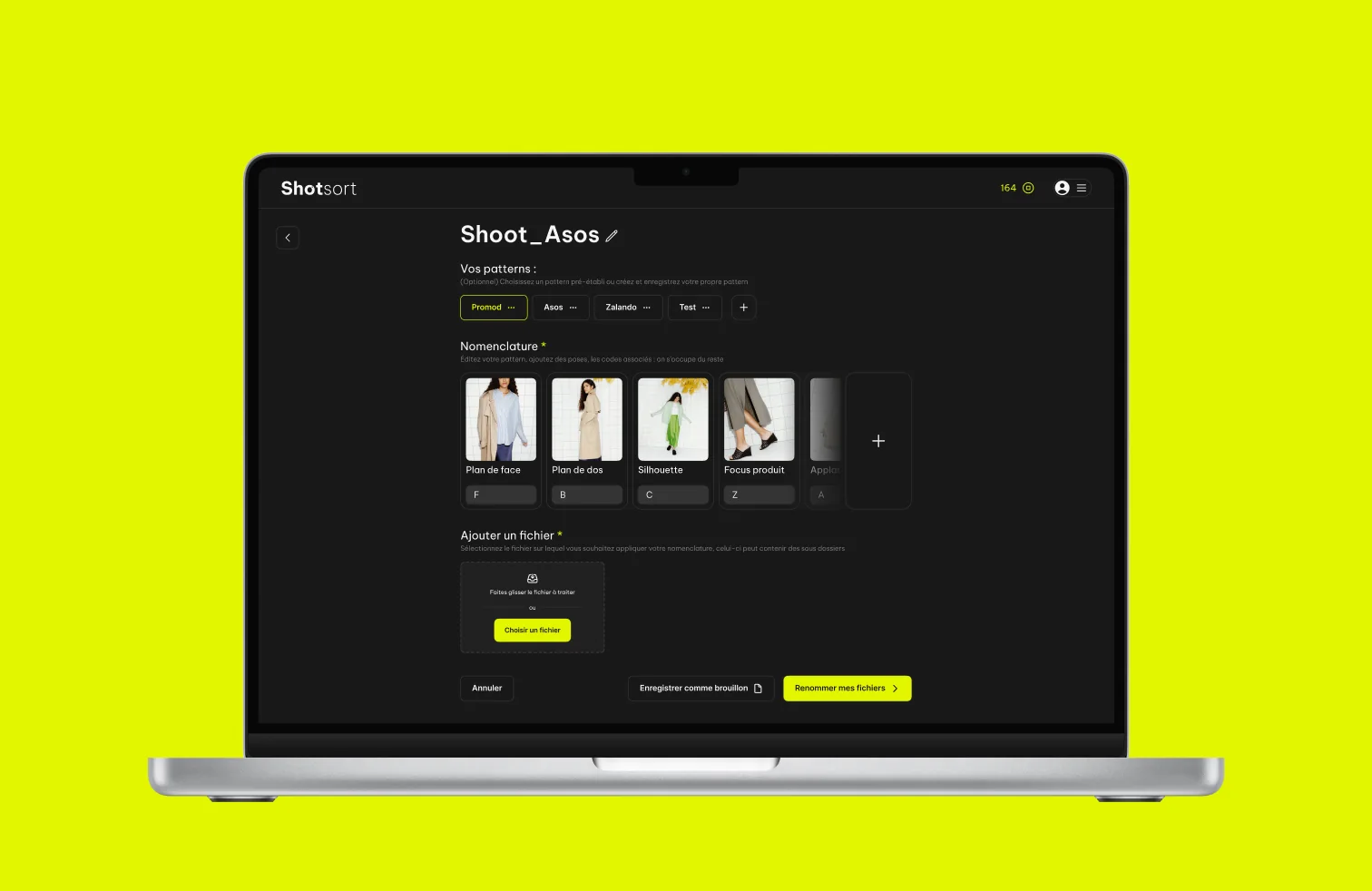
Shotsort started with a chore neither of us could believe was still manual. A fashion photographer comes home from a shoot with several hundred frames, and every brand they work for wants those files named its own way: F for the front view, B for the back, C for the silhouette, then a product code and a sequence number. So the photographer opens Lightroom at the end of the day and renames a few hundred files by hand, one pose at a time, client by client.
The bet was that the pose is visible to a machine. If software can tell a front view from a back view, it can apply the client’s convention itself and hand the evening back. What follows is how we went from that hunch to a tested prototype, and the one thing I would do differently.
Research
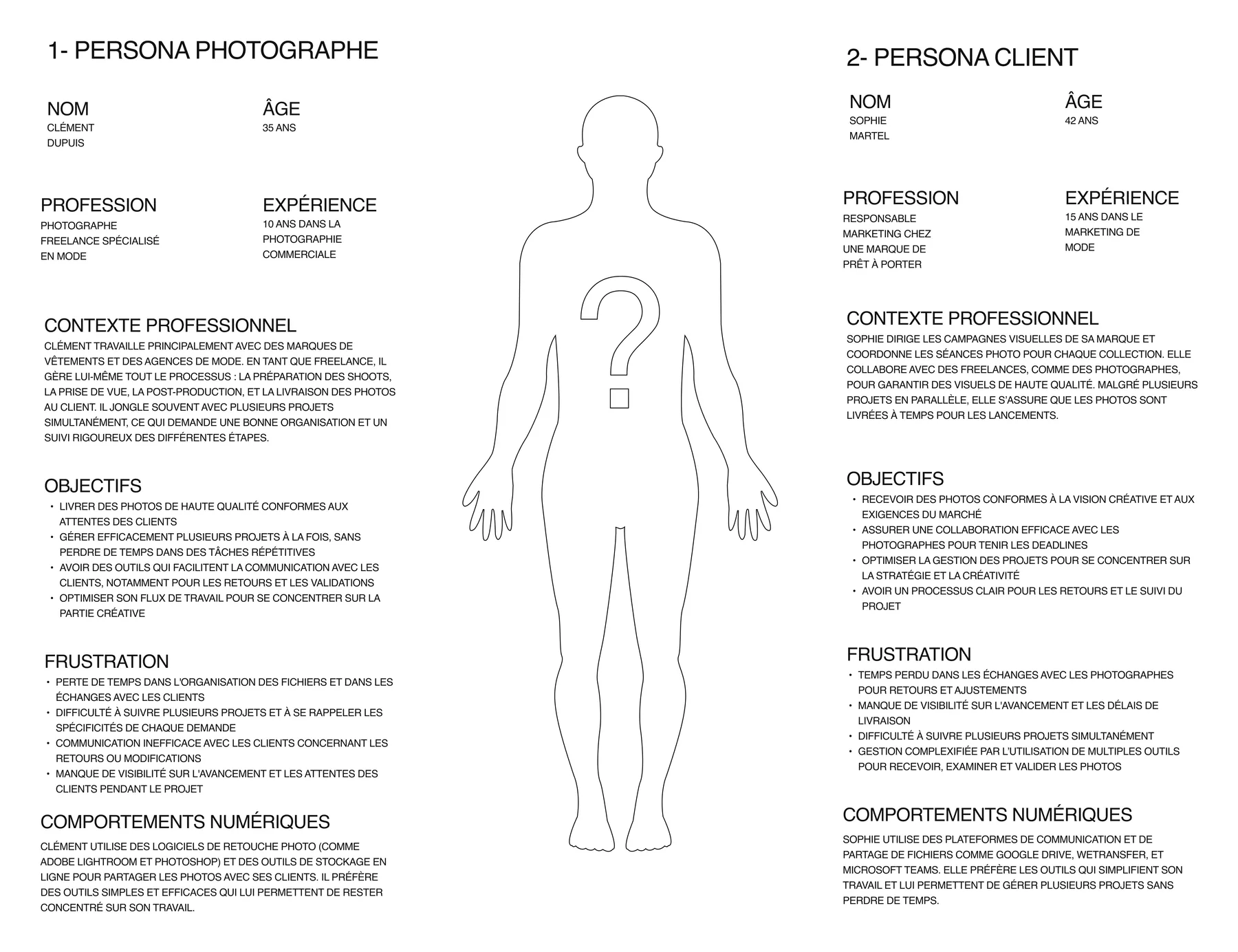
I sat through shoots and the post-production that followed, then interviewed both sides of the handoff: the freelancers who deliver the files, and the brand-side producers who receive them. Two personas, because a filename is not a private matter. It is the contract between someone who exports and someone who has to find the right frame three weeks later.
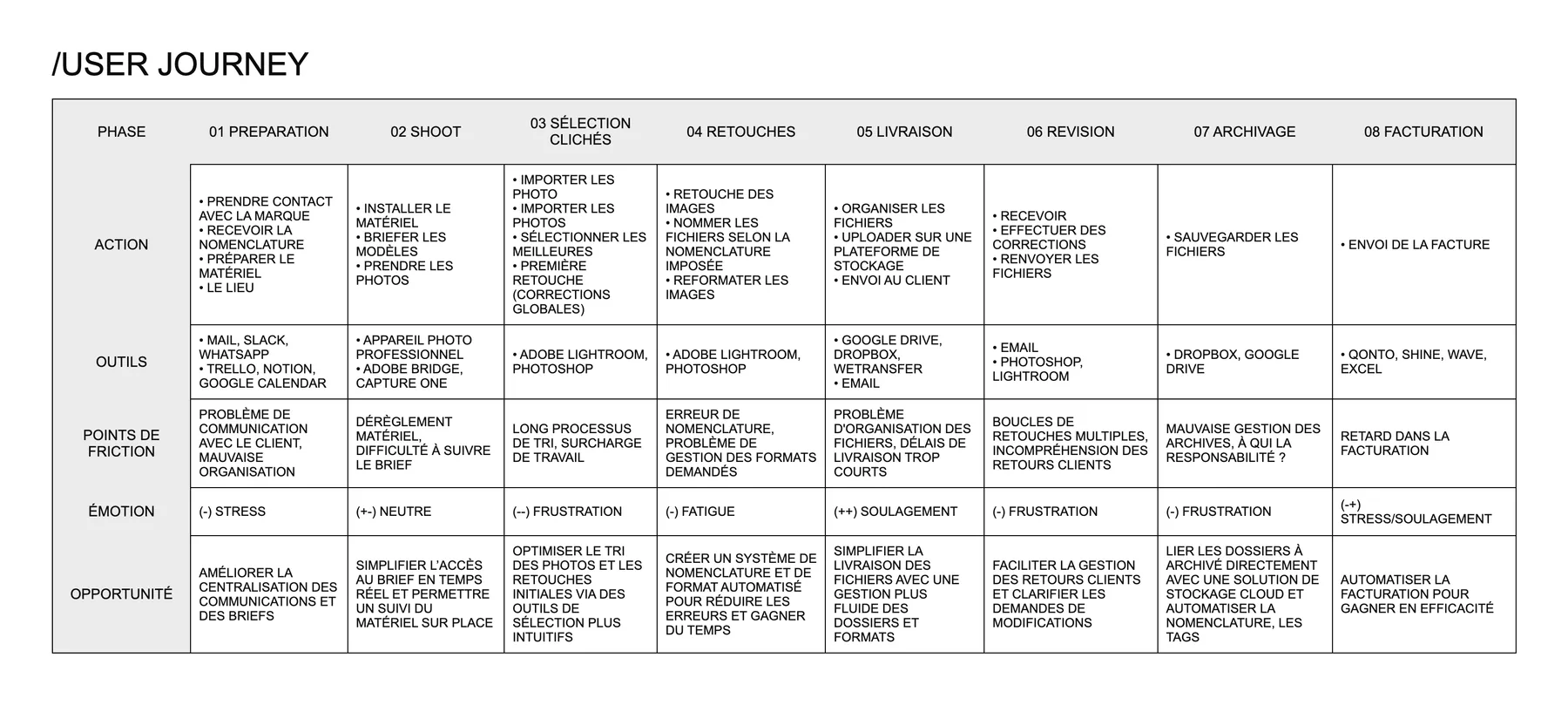
Mapping their day is what changed the brief. Naming was not one chore in the middle of an afternoon; it was the seam between eight phases (brief, shoot, selection, retouching, delivery, revision, archiving, invoicing), each with its own tool and its own way of dropping information on the floor. Read the friction row and the product’s place is hard to miss: sorting and naming, where the hours go and where nothing in the chain helps.
Ideation
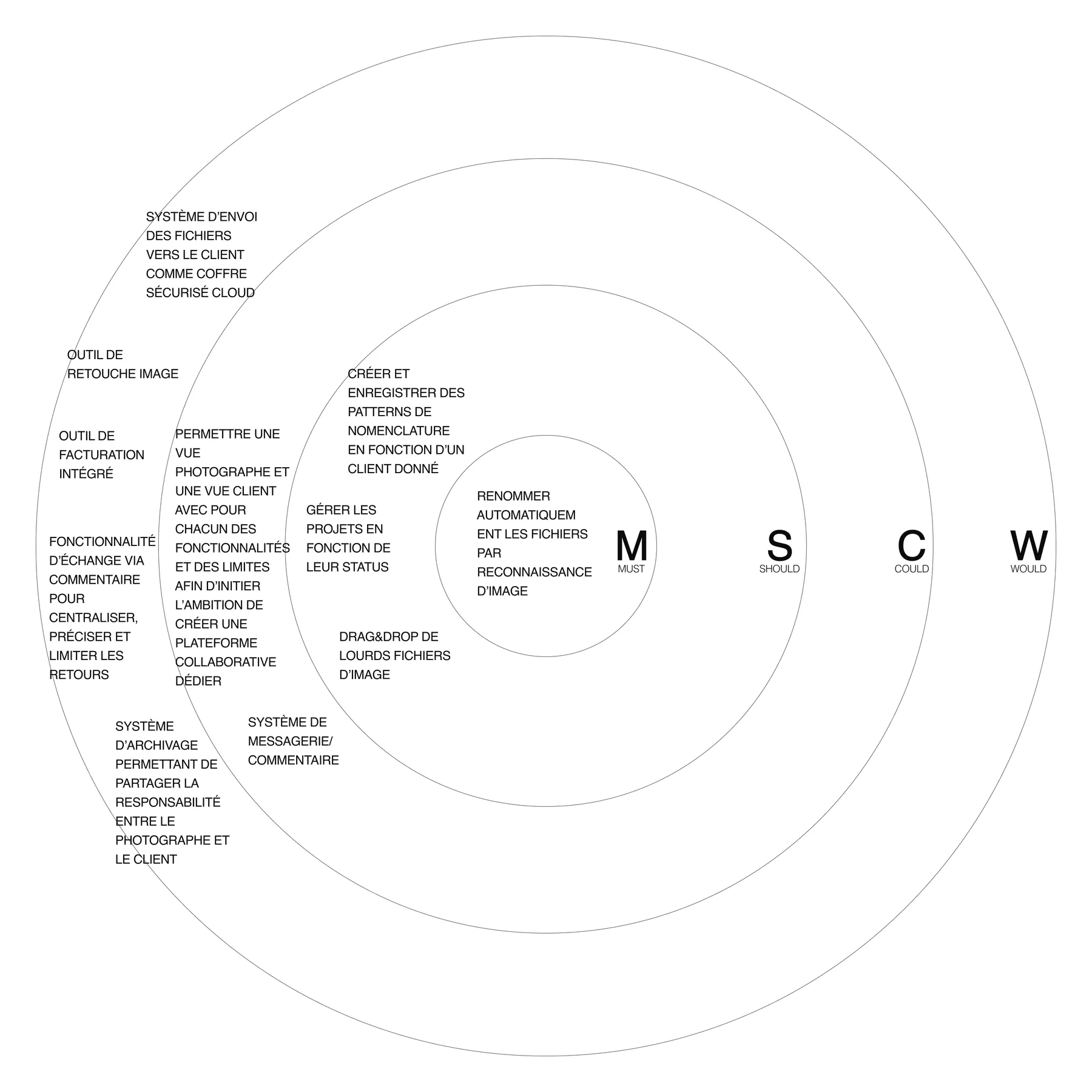
The map produced eight opportunities and all eight were tempting. The trap at this point is easy to walk into and expensive to walk back: a tool that centralises briefs, messaging, retouching, delivery, archiving and invoicing is not a product, it is a wish list, and it takes on six incumbents at once.
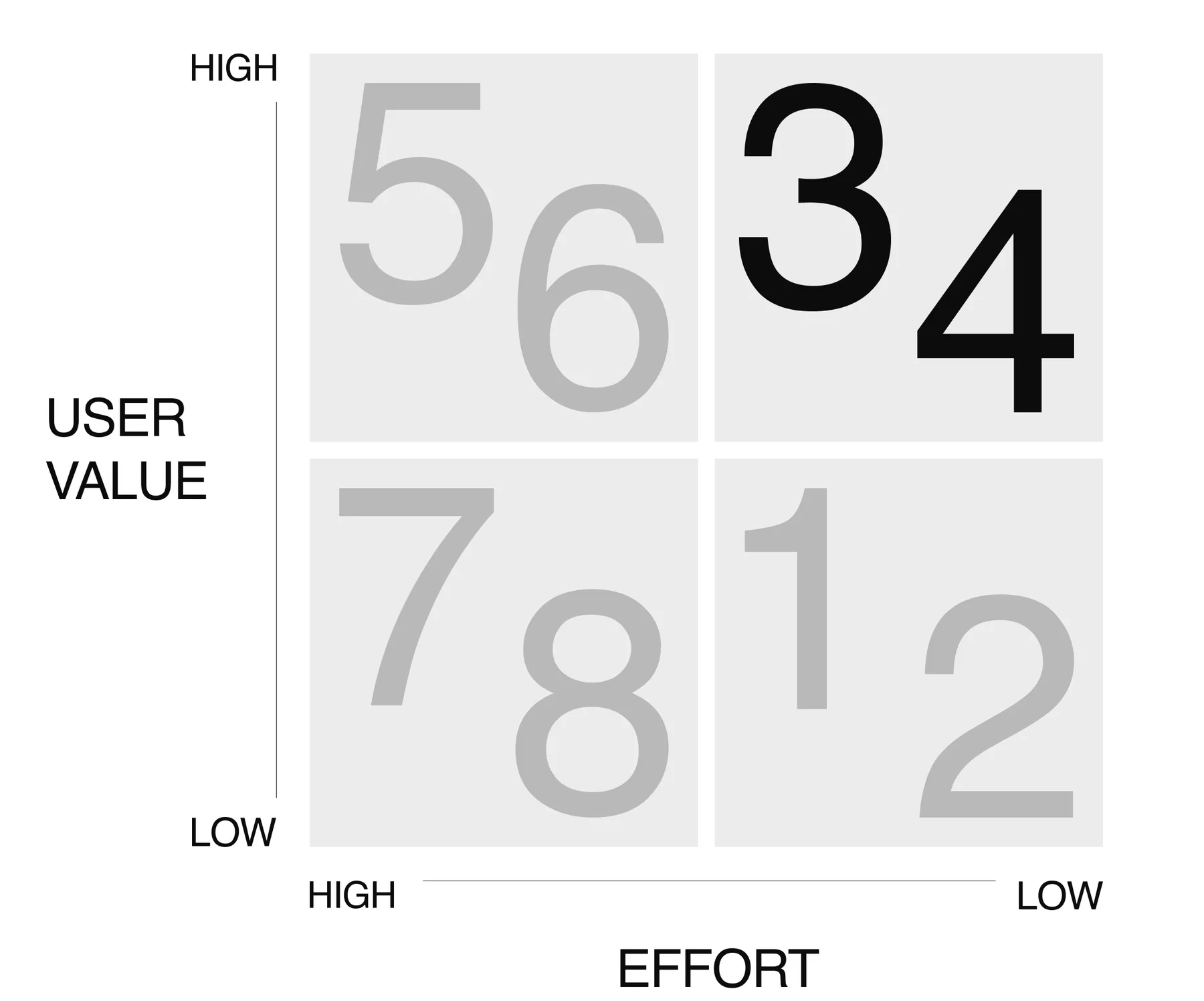
A MoSCoW pass on what survived left one line in the must ring: rename the files automatically by recognising the image. The shared vault, the comment threads and the invoicing, all real needs, moved out to should and could. That single line became the MVP and the positioning, which is the more useful of the two: it is what lets you say no six months later.
Technical proof
The product rested on one unproven assumption, so it was tested before a single screen was designed. A detection model, run from the terminal over a real shoot, answered the only question that mattered: can software tell a front view from a back view from a silhouette, on a photographer’s actual frames, well enough to be trusted with the naming?
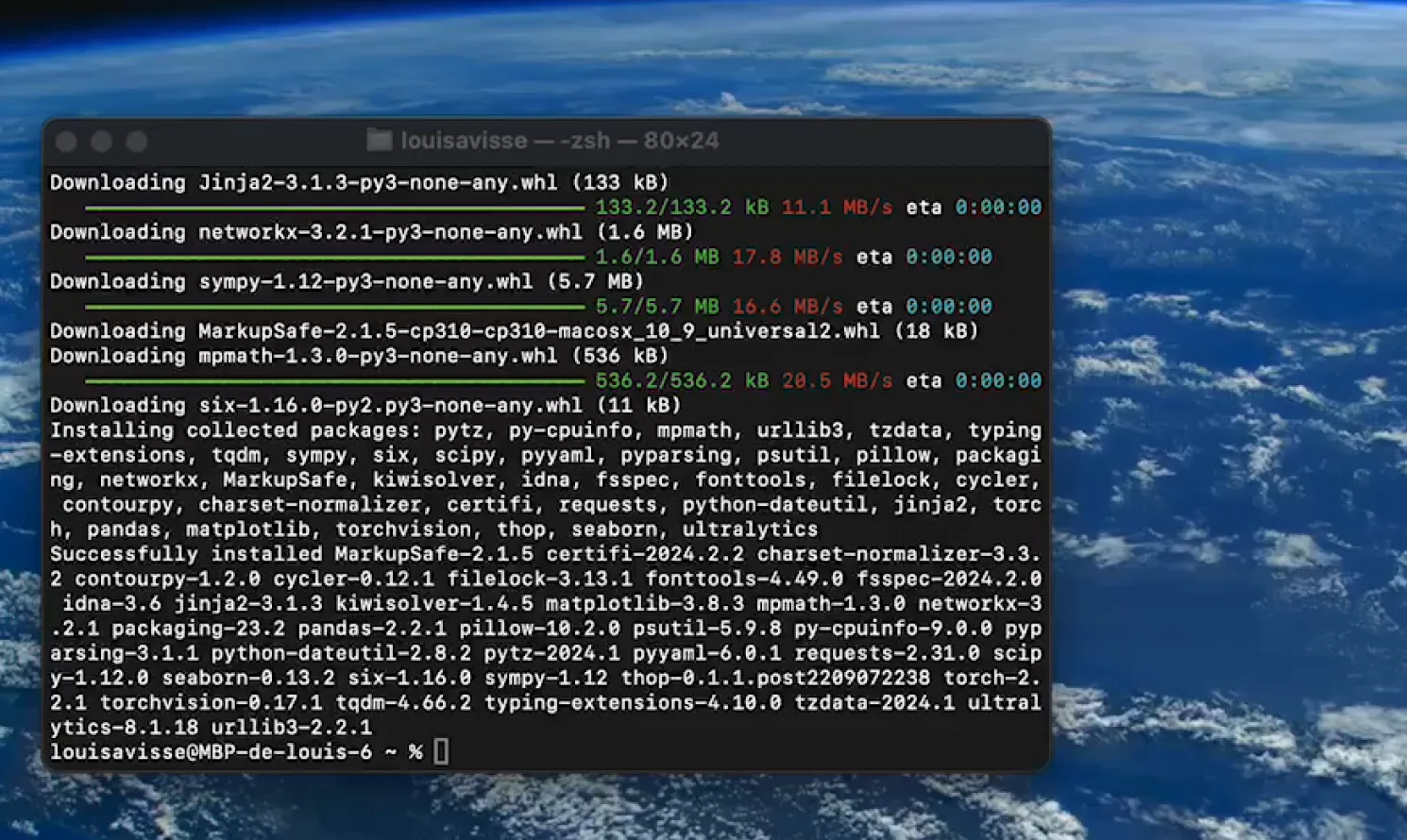
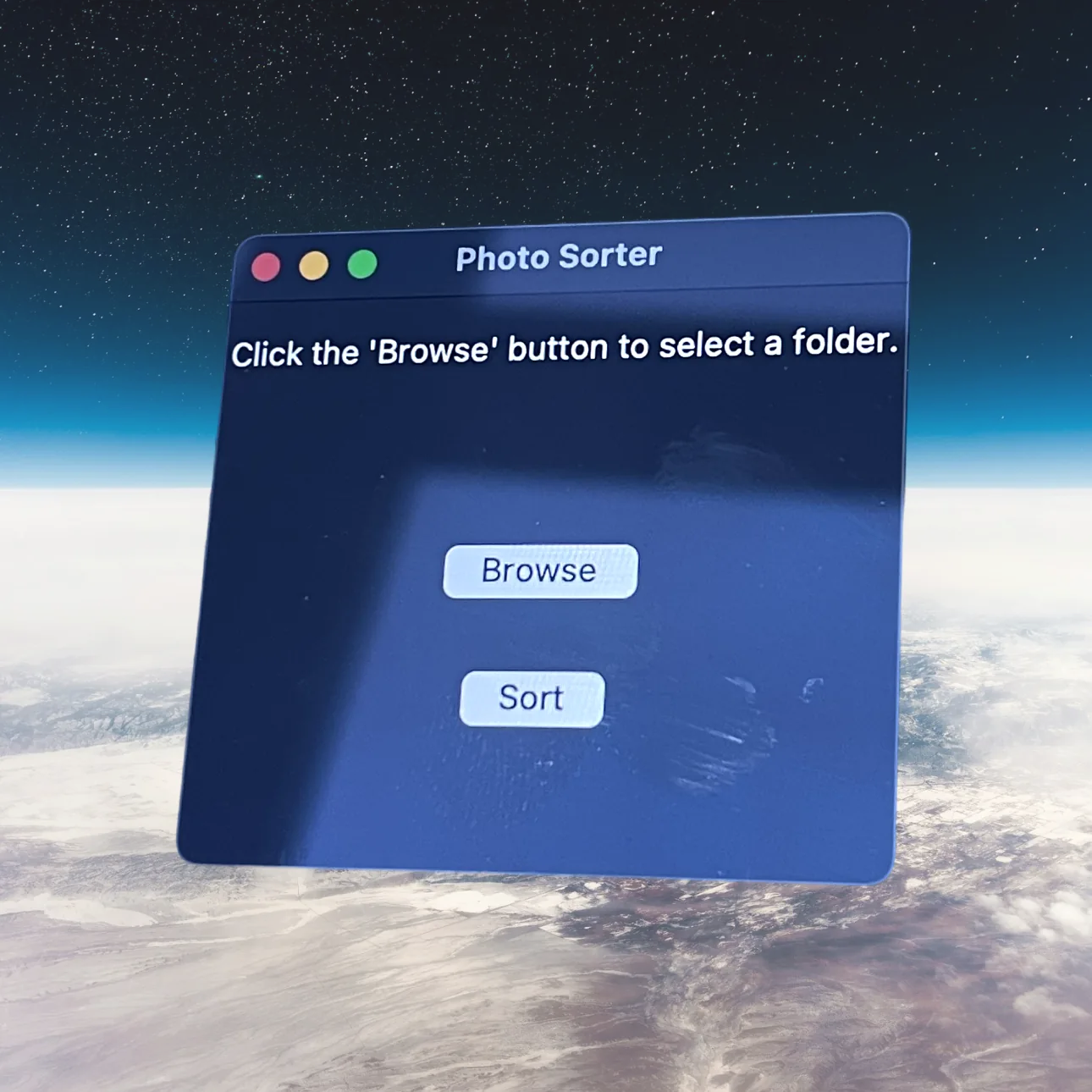
It could: well enough to be useful, not well enough to keep quiet about it. That is a design input rather than a go/no-go: if confidence varies frame to frame, the interface has to show what it decided and make a wrong batch cheap to correct. So the first thing testers touched was deliberately crude, and it was enough to hear whether the value was real.
Wireframes
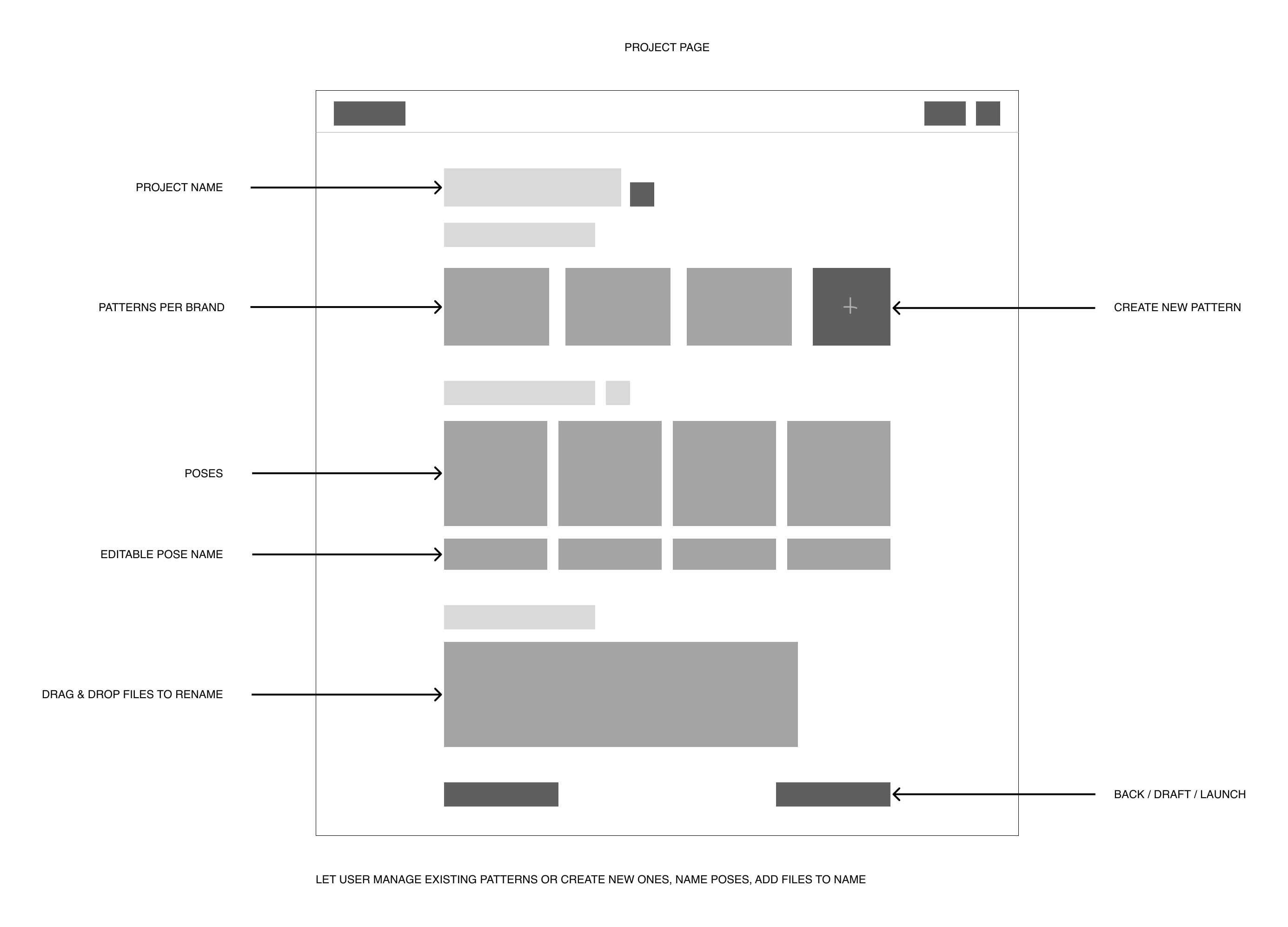
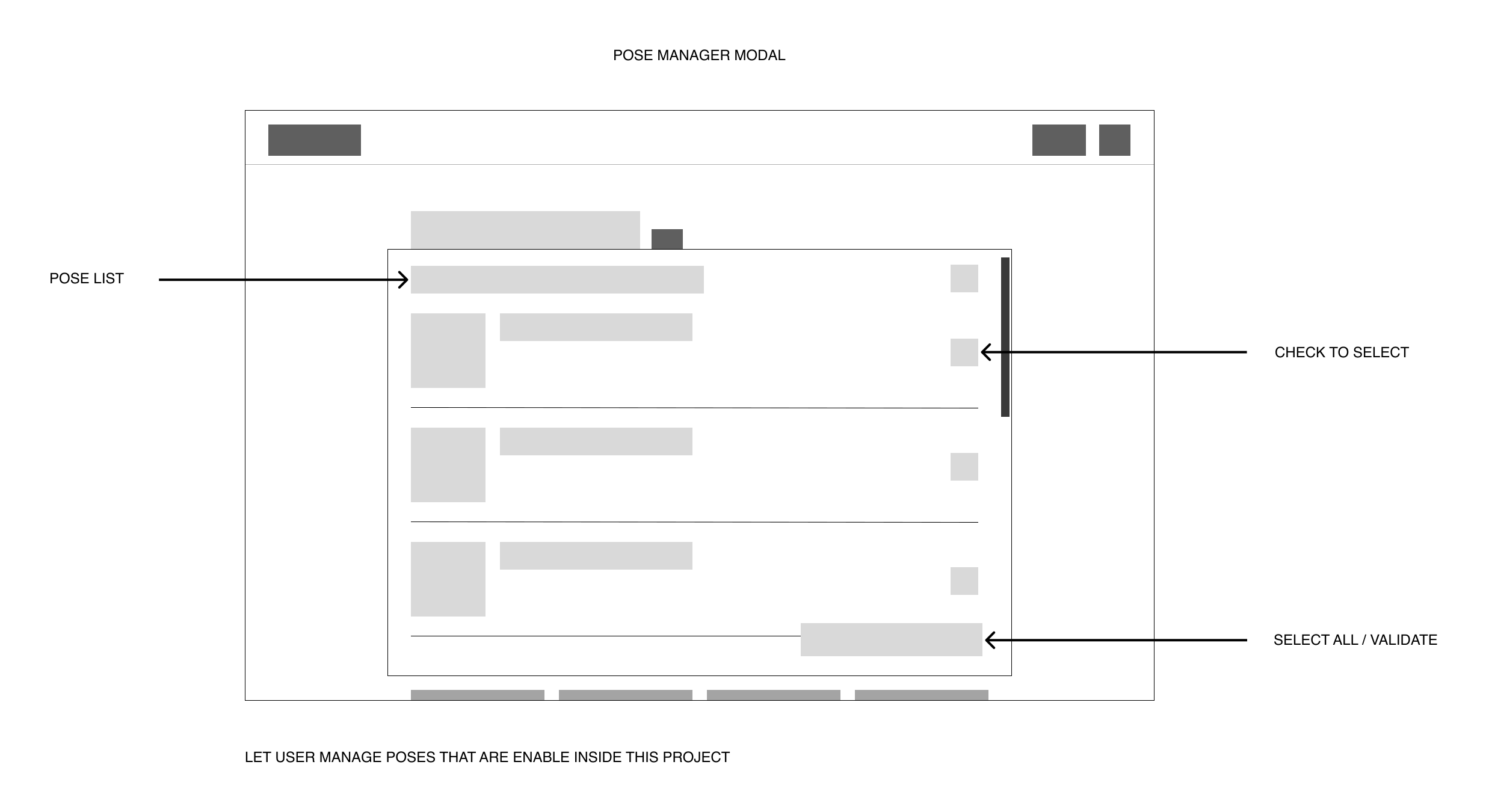
With the value confirmed, the work became fitting it into a product without inflating it. I mapped the architecture first, screen by screen and action by action, to keep the surface no larger than the promise: sign in, open a project, state the convention, drop the files.
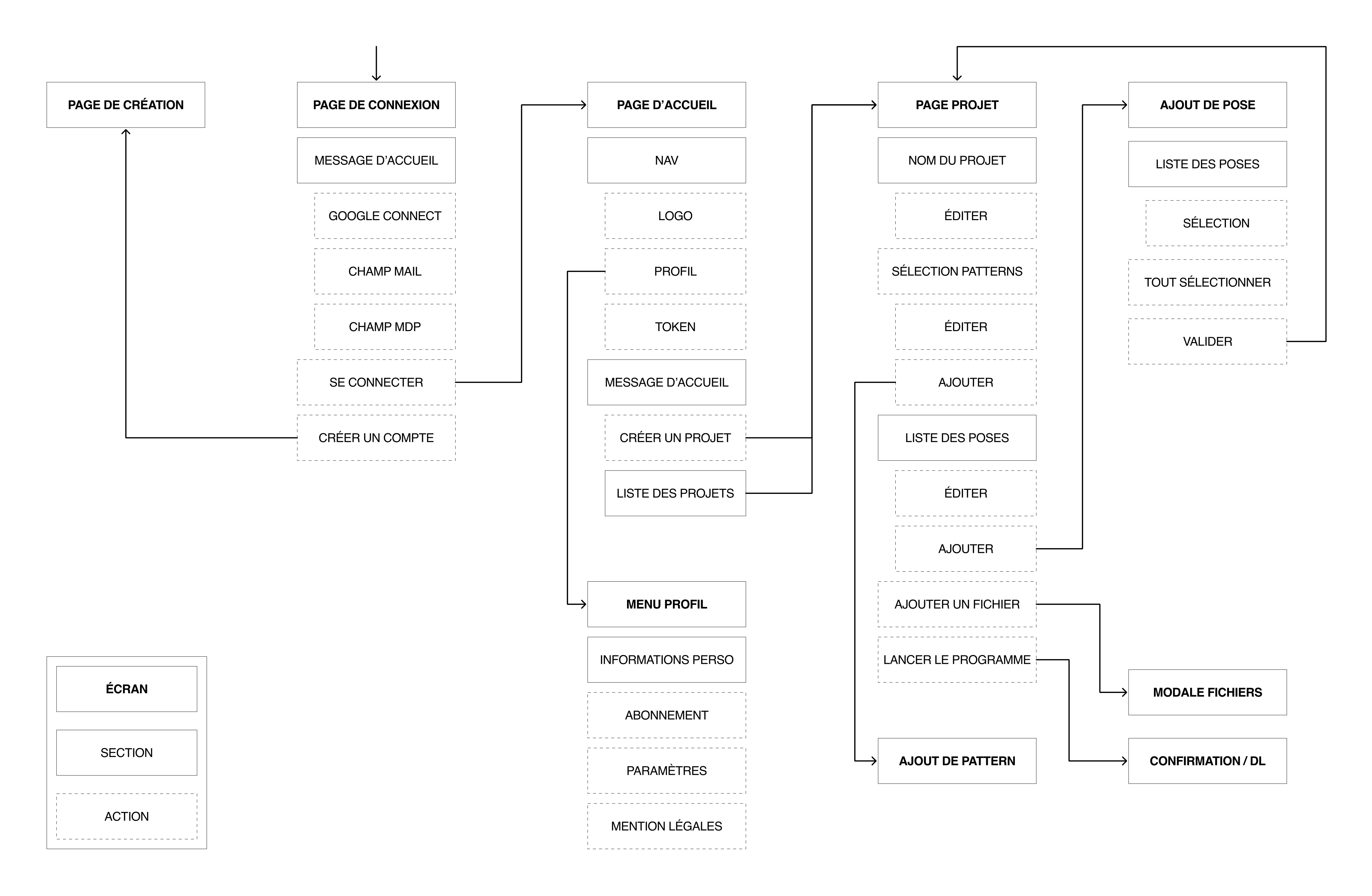
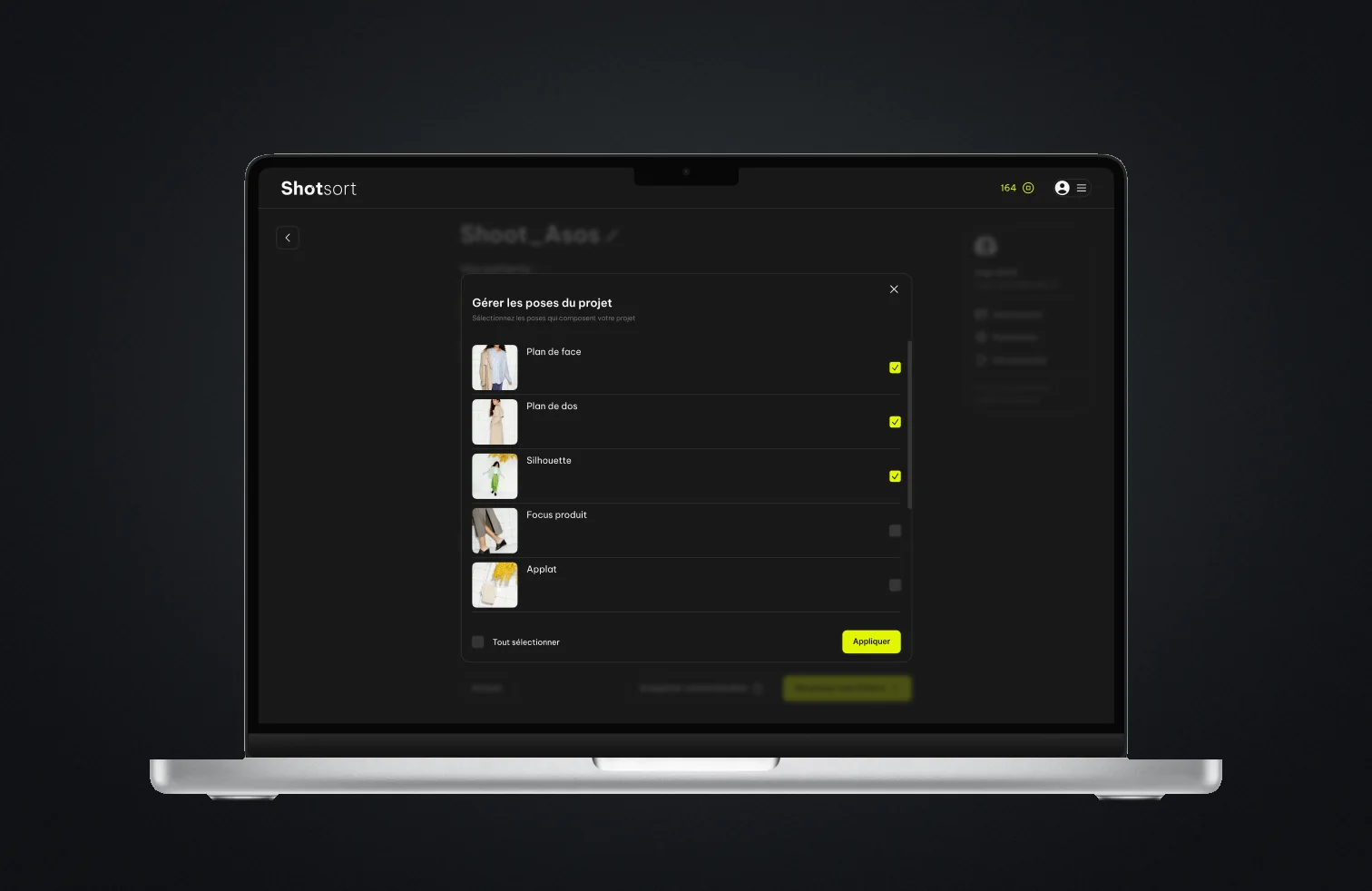
Two decisions came out of the wireframes and both survived to the prototype. Naming conventions became patterns saved per brand, because a photographer works for the same handful of clients over and over: you set a brand up once. And poses became a list curated per project, so the model only looks for what this shoot actually contains: fewer wrong guesses, and a shorter review at the end.
Prototype
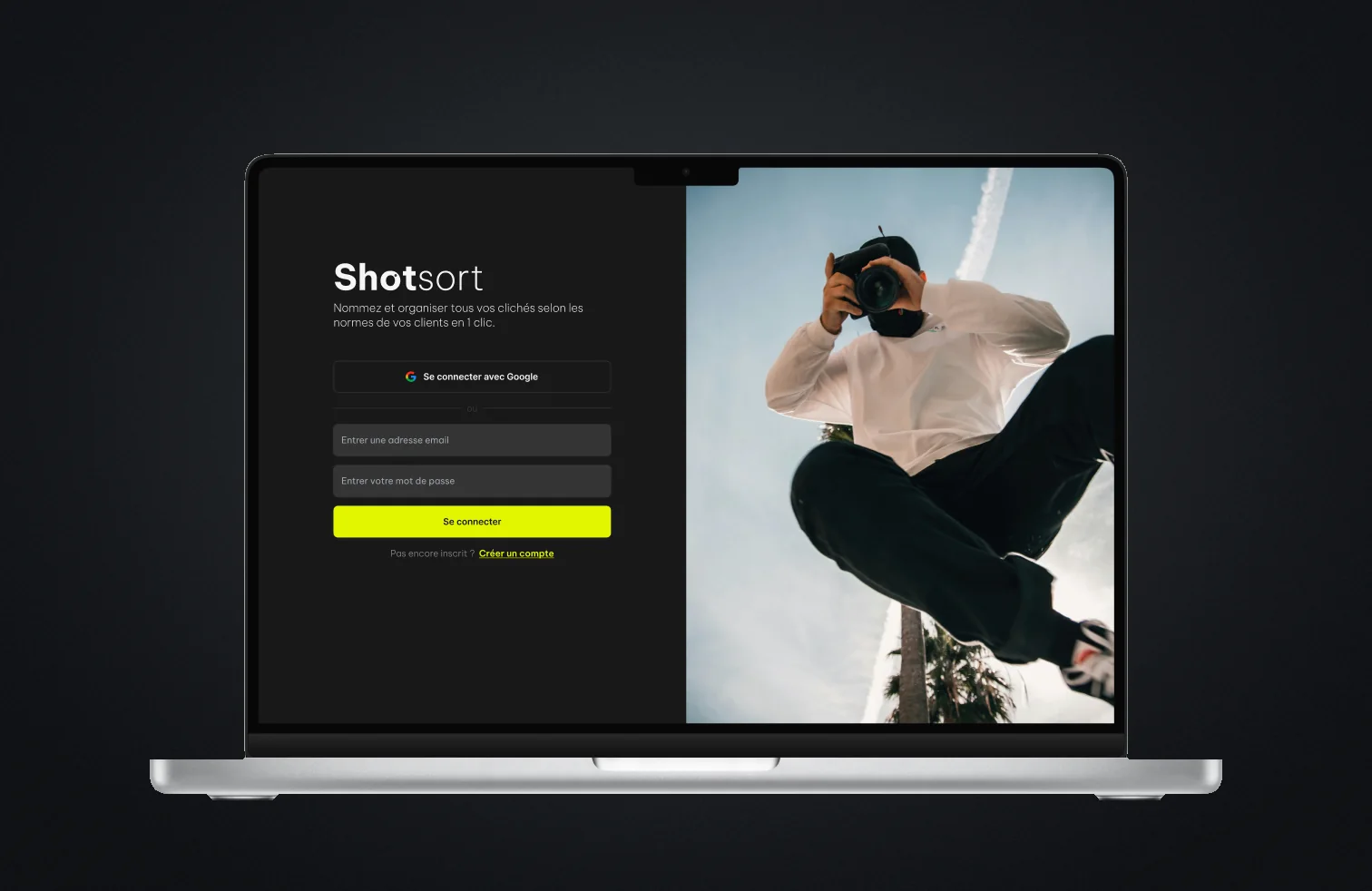
The prototype had to read as a tool rather than a demo: the primary action always in view, the state of a project legible at a glance, nothing on screen a photographer would have to learn. Dark and quiet, with a single accent, since the photographs are the only thing on the page entitled to be loud.
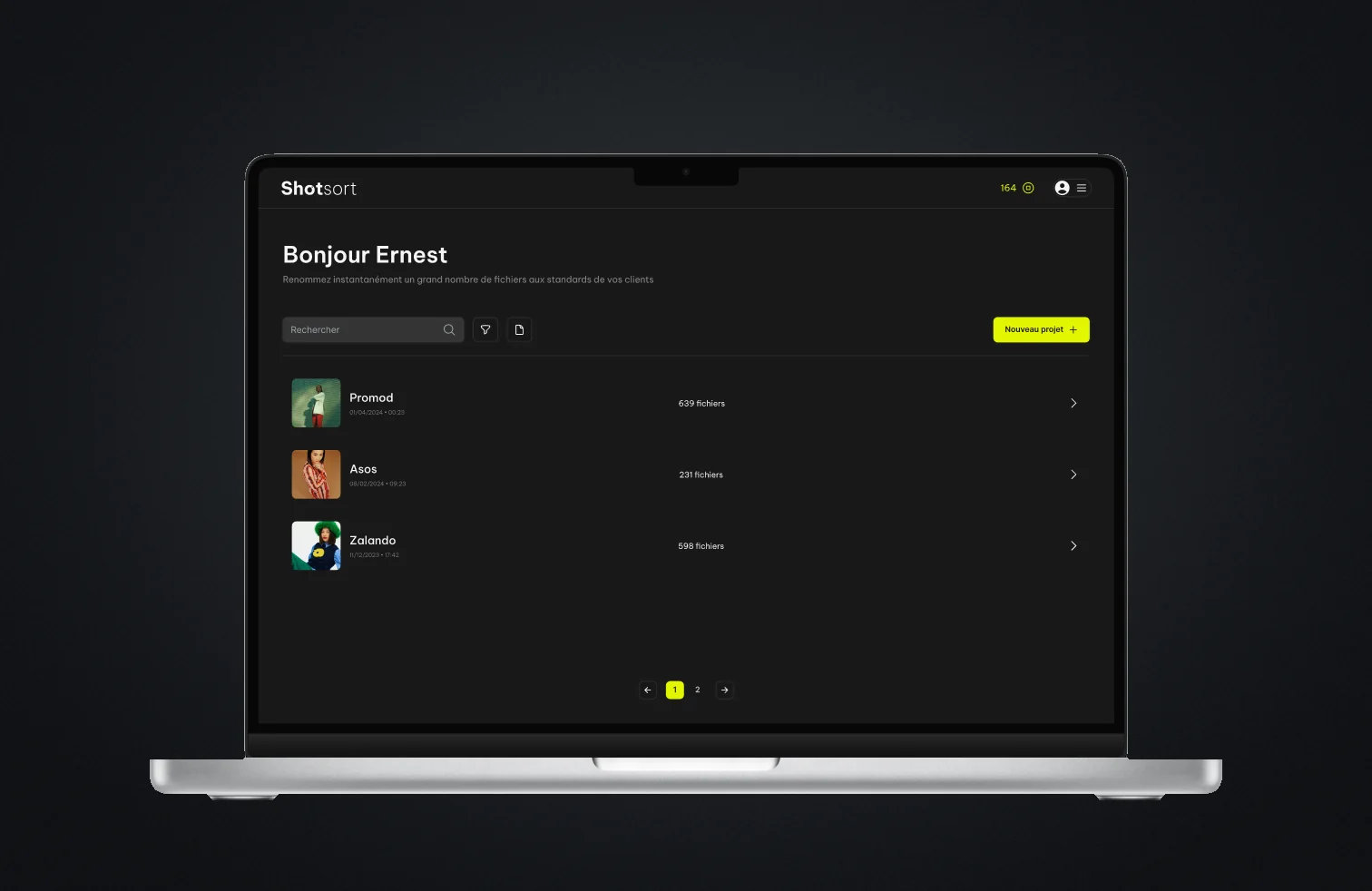
It also had to sit politely inside a pipeline that already exists. Photographers have Lightroom, Capture One, a storage provider and a client waiting on a link. Shotsort earns its place by doing one step better than they can and handing the files back in the shape the rest of the chain expects, not by asking anyone to move house.
What the testers said
The prototype went out to a first panel, and the sessions happened on their shoots rather than in a room: their brands, their conventions, their end of day. Each one ran the tool over a real batch, then an interview on what they had just watched happen to their files.
- Panel
- 9 photographers, 12 sessions
- Named right, first pass
- 83% of frames
- Would use it again
- 7 of the 9
A 400 frame shoot took 52 minutes to rename by hand and 4 with the tool, and that is the figure that sold it. The accuracy figure is the one that mattered more: naming 83% of a shoot correctly is not a finished product, it is a promise that has to be checked, and that is what turned the review step from a nicety into the centre of the design. The two who would not use it again work for brands whose conventions hang on the garment rather than the pose, a thing the model cannot see and a limit worth stating early.
What I would change
The honest read is that the interface got ahead of the product. The promise tested well, but the sessions kept drifting onto the surface: people reacted to how finished it looked instead of to the idea, and they were too polite to tell me the idea was wrong. Nine photographers is enough to know the value is real and not enough to know the product is right. If I ran that phase again I would take the fidelity down rather than up, because at this stage the job of a prototype is to be argued with.
The 17% the model gets wrong sets the first real product problem, and it is not better detection. It is a correction step cheap enough that being wrong costs the photographer a second, which is a design job before it is a model job. After that come the stack and a build, then early access with a wider panel. The longer ambition is the file layer the journey map kept pointing at (delivery, revision, archiving), built one validated use case at a time, inside the tools photographers already trust, rather than as the super-app nobody asked for.